
tcpdump command and options- Performance Measurement commands for Unix

tcpdump - dump traffic on a network. Tcpdump  prints  out a description of the contents of packets on a network interface that match the boolean expression.

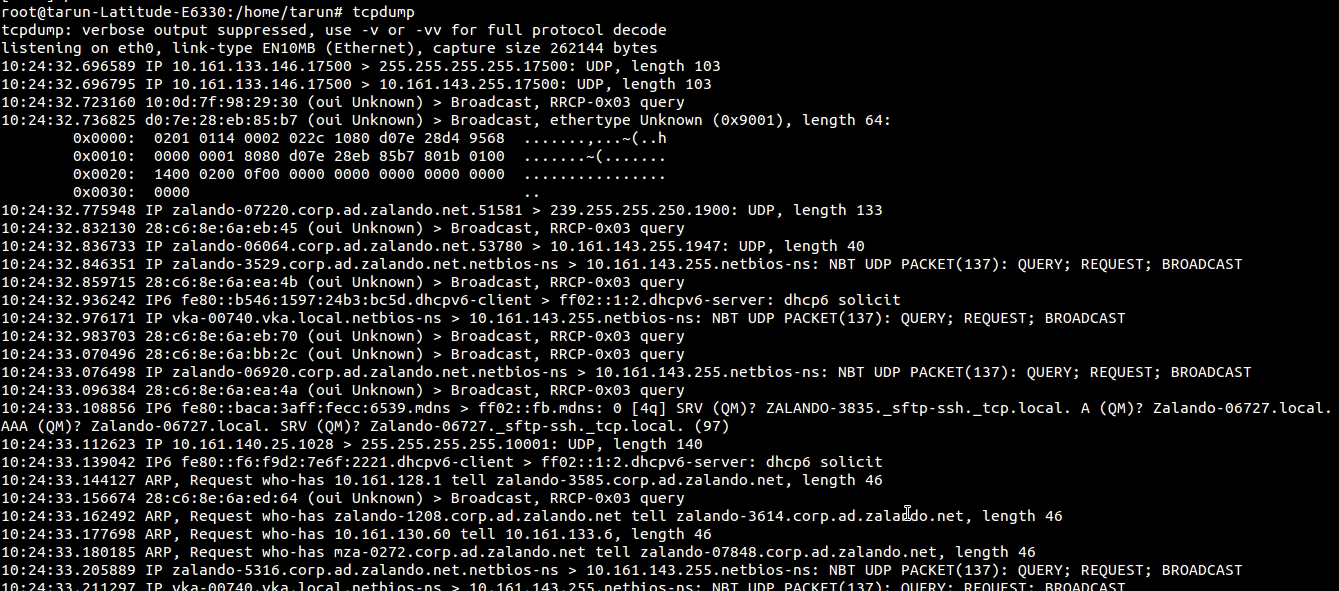
Type the following command:
$tcpdump
tcpdump.png


You need to interrupt the command else it would keep scrolling


OPTIONS
-i interface
--interface=interface Listen on interface.  If unspecified, tcpdump searches the system interface list for the lowest numbered,  configured  up  interface (excluding loopback), which may turn out to be, for example, ``eth0''.
    $tcpdump -i eth0
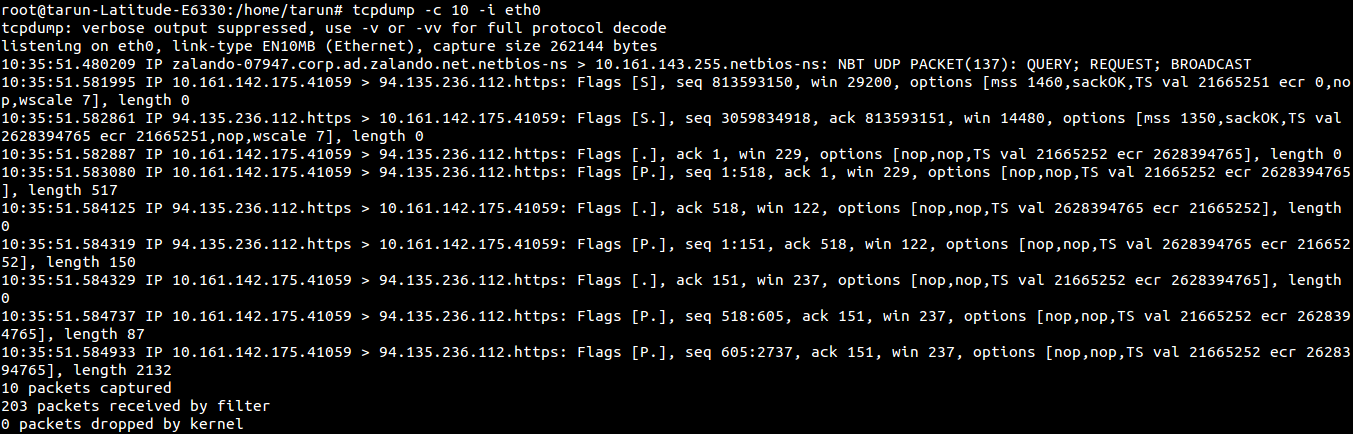
-c count
             Exit after receiving count packets.
$tcpdump -c 30 -i eth0
Screenshot from 2015-07-23 10:39:04.png

-D
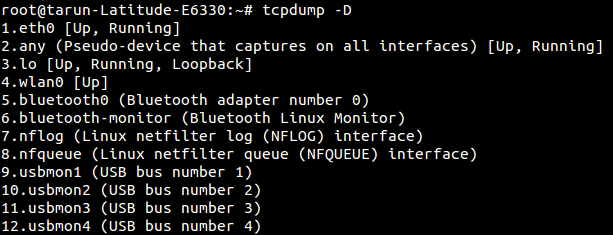
--list-interfaces, prints  the list of the network interfaces available on the system and on which tcpdump can capture packets.  For each network interface, a number and an interface name, possibly followed by a text description of the interface, is printed.  The interface  name  or the number can be supplied to the -i flag to specify an interface on which to capture.
    $tcpdump -D
tcpdump.png

-w file
Write the raw packets to file rather than parsing and printing them out.  They can later be printed with the -r option.
    $tcpdump -w dump01.pcap -c 10 -i eth0

tcpdump.png

and now read the dumped file -
$tcpdump -r dump01.pcap

tcpdump.png


-n Don't convert addresses (i.e., host addresses, port numbers, etc.) to names.   
$tcpdump -n
To capture packets from specific port, specify port number -
$tcpdump -i eth0 port 22
To capture packets from specific source -
      $tcpdump -i eth0 src 192.168.1.1


Comments

Popular posts from this blog

A Tutorial to Send Email using JMeter

Sending email is a mundane activity in any professional’s life. It’s a common medium for communication nowadays. Therefore performance testing of email server is not only important but necessary for an organization. JMeter can be helpful to perform load testing in such scenarios. In this tutorial, we will see how JMeter can be used to send email. We will use SMTP Sampler of JMeter to send an email. JavaMail API is needed to enable email functionality in JMeter. Download it from  here  and paste the jar in JMeter’s lib folder. Now, perform below steps to configure SMTP Sampler. Add a new Thread Group under Test Plan. Right click on Thread Group and select Add–>Sampler–>SMTP Sampler. We need to populate SMTP server’s details in this sampler. We will use GMail for sending an email. For this, enter these values in SMTP Sampler fields. Server: smtp.googlemail.com, Port: 587. Provide values in Email Address From and To fields of Mail Settings section to specify sender...

JMeter Exceeded Maximum Number of Redirects Error Solution

While running performance test, JMeter allows maximum 5 redirects by default. However, if your system demands more than 5 redirects, it may result in JMeter exceeded maximum number of redirects error. In this post, we have listed down steps to overcome this error. Actual error in JMeter: Response code: “Non HTTP response code: java.io.IOException” Response message: “Non HTTP response message: Exceeded maximum number of redirects: 5” This error is noticed because  JMeter  allows maximum 5 redirects by default and your system may be using more than 5 redirects. You need to increase this count to more than 5 in jmeter.properties file. Follow below steps to achieve this. Navigate to /bin directory of your JMeter installation. Locate jmeter.properties file and open it in any editor. Search for “httpsampler.max_redirects” property in opened file. Uncomment the above property by removing # before it. Change to value to more than 5 Eg. 20. Save the file and restart JMet...

Difference Between Redirect Automatically and Follow Redirects in JMeter

In this post, we will highlight important difference between Redirect Automatically and Follow Redirects options. These options are found in HTTP Request sampler of JMeter. Knowing the difference will help you decide your performance test strategy. When you check Redirect Automatically option, JMeter will not consider redirect as separate HTTP request. This in turn may result as lower response time in your overall performance test. Whereas Follow Redirect option will consider each redirection as separate requests. This may result in comparatively higher response time. This only has any effect if “Redirect Automatically” is not enabled. To see the difference between these two, record a sample script and run it by checking Redirect Automatically and Follow Redirects option. The second option will generate more requests in your result listener. As you can see from the above post, knowing the difference between Redirect Automatically and Follow Redirects option makes difference i...